Twilio Integration
To download call recordings from Twilio, use the Make HTTP Request Widget in Studio Flows.
REQUEST URL
Use your SalesLens Auth Token at your REQUEST URL, for example:
https://app.saleslens.io/api/access_token/call_record/upload?Authorization=place_your_token_here...
REQUEST METHOD
POST
CONTENT TYPE
value should be "Application/JSON"
REQUEST BODY
Use SalesLens Conversation Record API
Use Twilio dynamic variable as downloadRecordUrl parameter, for example
{
"employeeExternalId": "73231",
"downloadRecordUrl": "",
"locale": "en",
"title": "Twilio Call"
}
The employeeExternalId value is available and editable on the Users area (Employee ExternalId used in API requests field). For example, you can set SalesLens user External IDs identical to the user IDs in your Twilio account and use
"employeeExternalId": 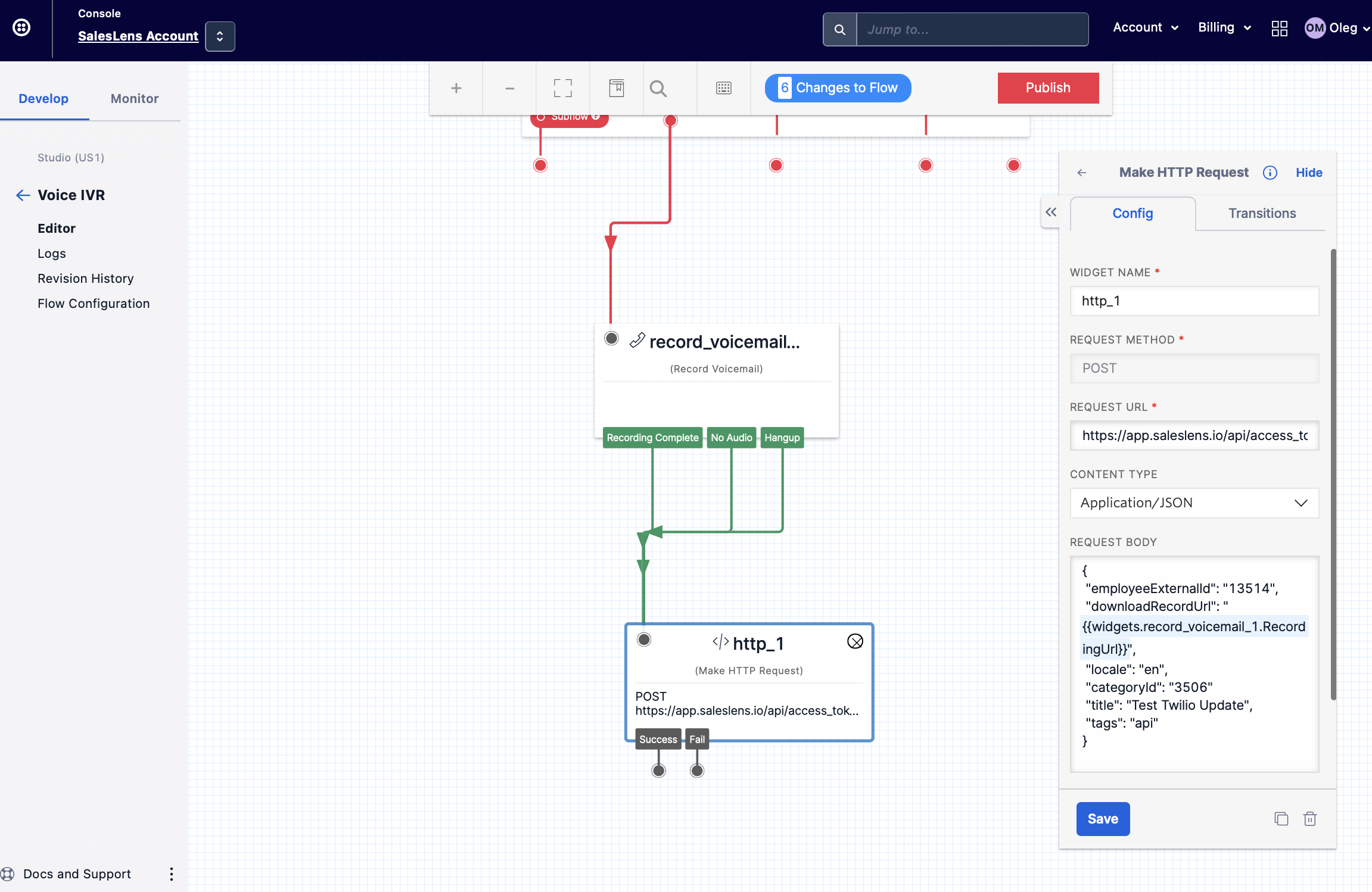
To make links with recordings of Twilio conversations available for download, you need to either disable HTTP Basic Authentication for media access: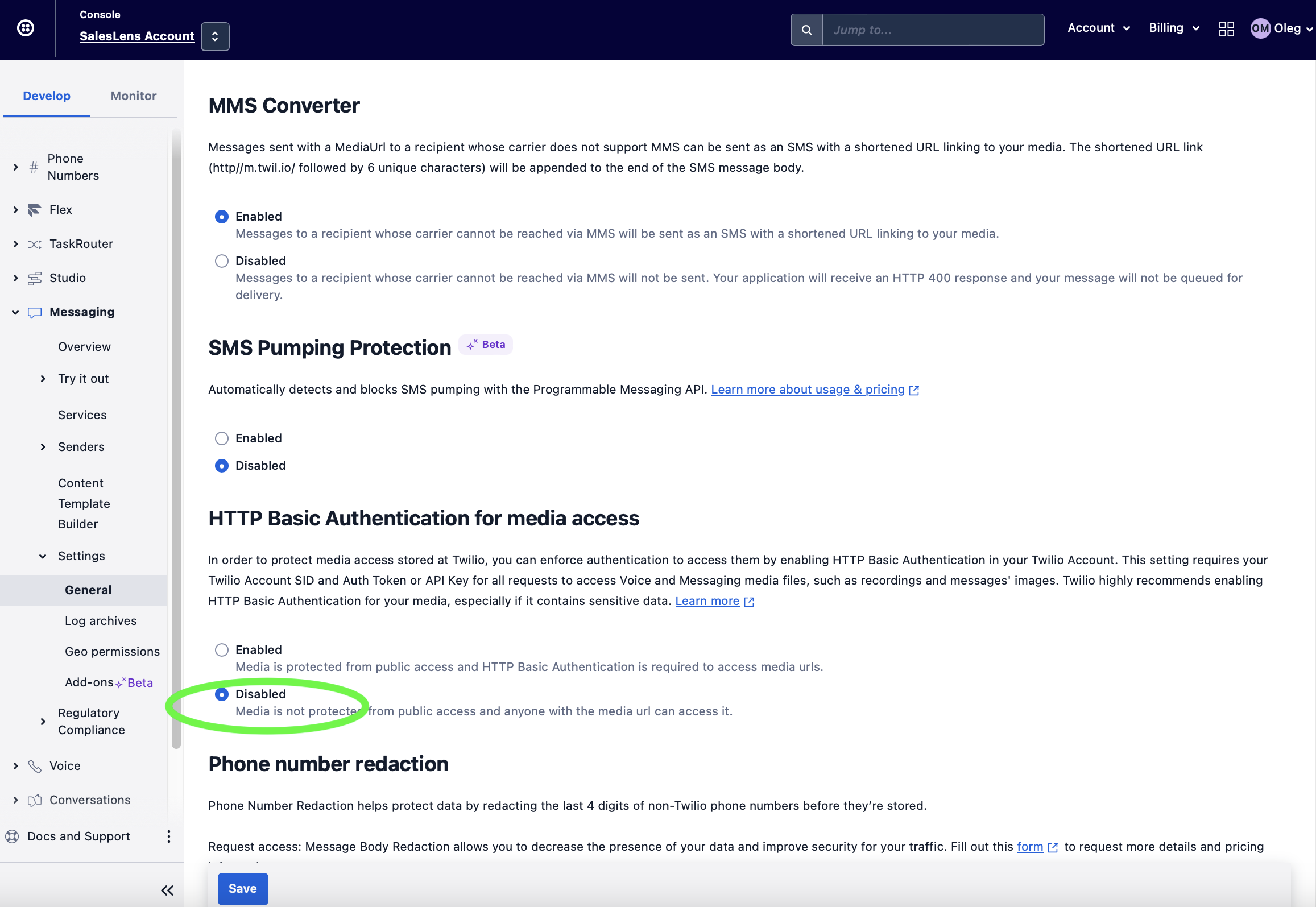
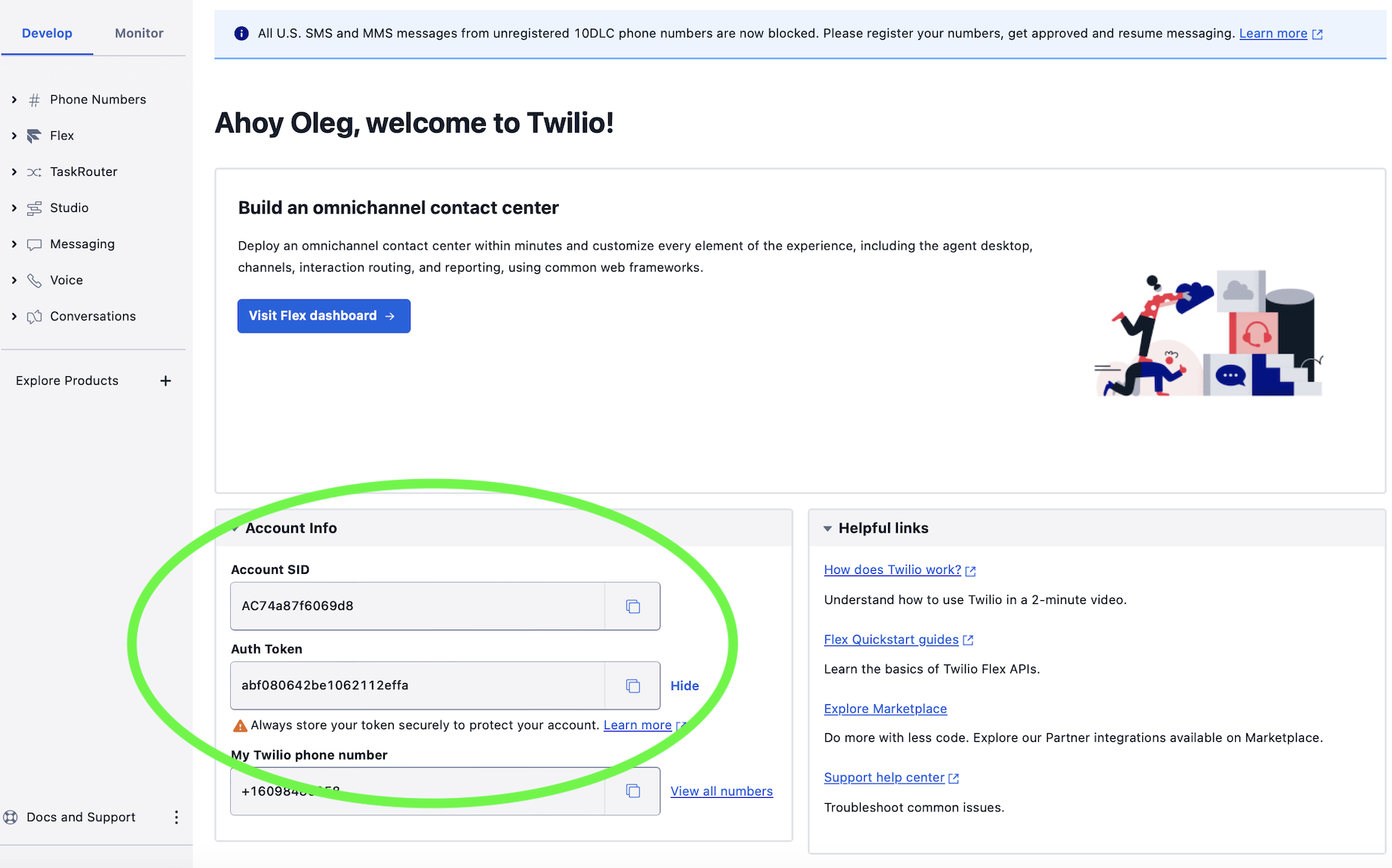
Or add to the REQUEST BODY httpHeader parameter with your Twilio Account SID:Auth Token base64 encode credentials:
"httpHeader":"Authorization: Basic Account SID:Auth Token"
Account SID:Auth Token value should be base64 encode and could be generated manually on https://www.base64encode.org from your Twilio credentials:
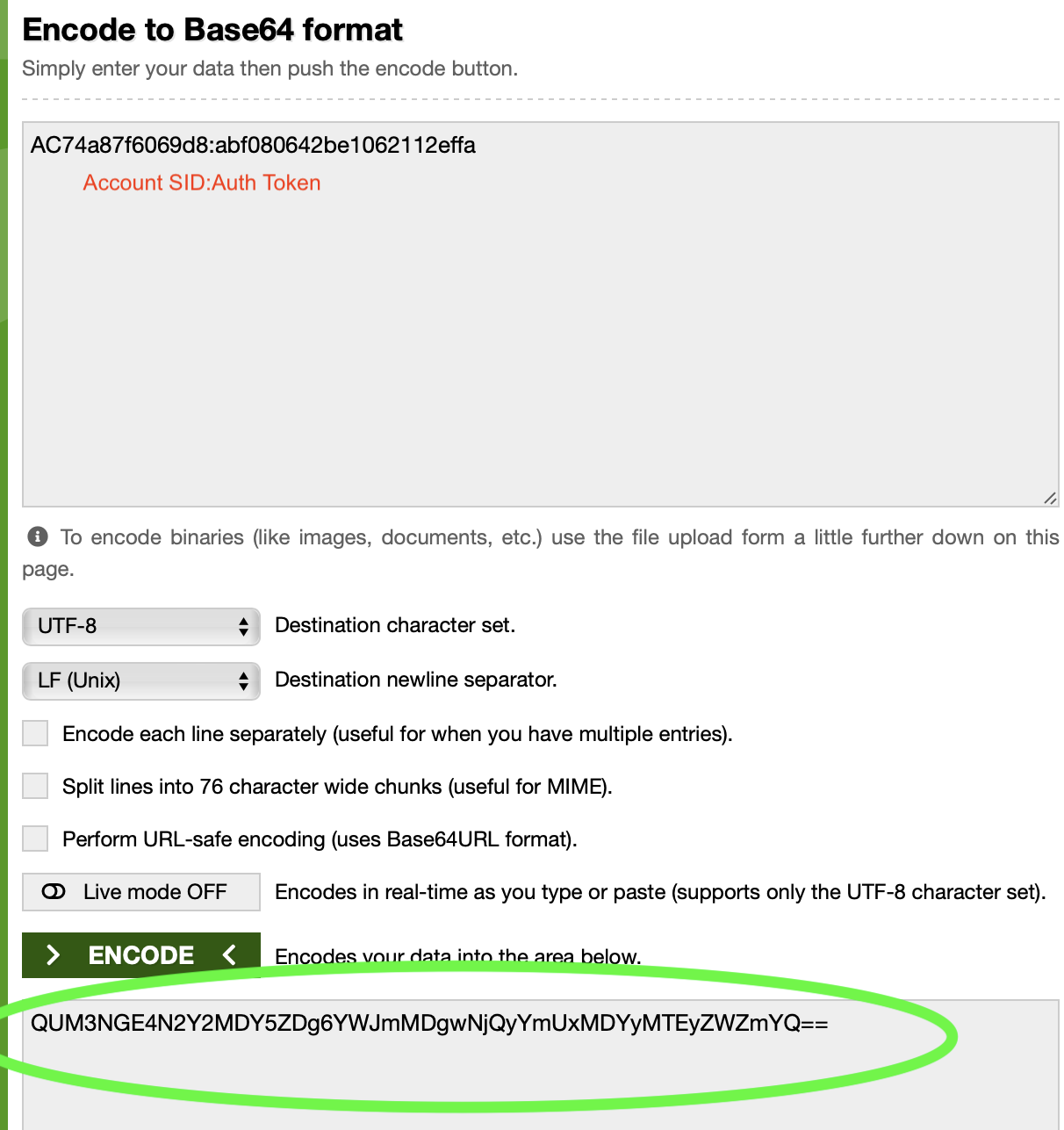
For example:
{
"employeeExternalId": ",
"downloadRecordUrl": "",
"locale": "en",
"title": "",
"httpHeader":"Authorization: Basic QUM3NGE4N2Y2MDY5ZDg6YWJmMDgwNiQyYmUxMDYMTEyZWZmYQ=="
}